Tattoo placement ideas: a practical visibility and orientation worksheet
Use schematic body maps and a visibility scale to organize placement questions for an artist; diagrams are not anatomical or calibrated.
THE SHORT ANSWER
How can I compare tattoo placement ideas?
Compare tattoo placement ideas on the same photo, looking at visibility and orientation for each area. Then discuss options with your artist, who can assess real anatomy, fit, and suitability.
About these images: original editorial illustrations, not generated in InkWorld. These are concept studies, not Try On previews or tattoo-ready stencils.
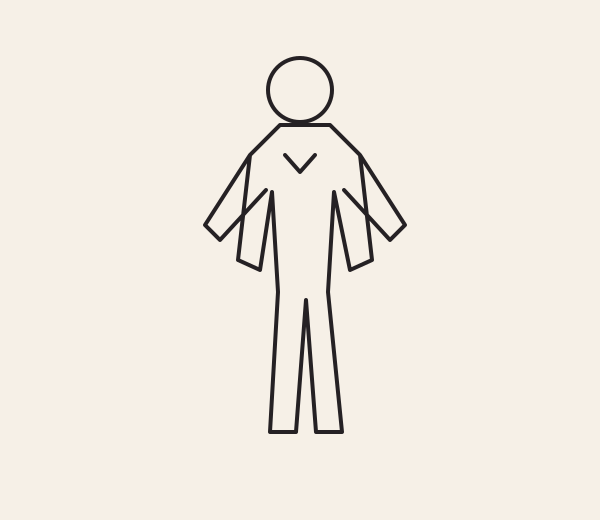
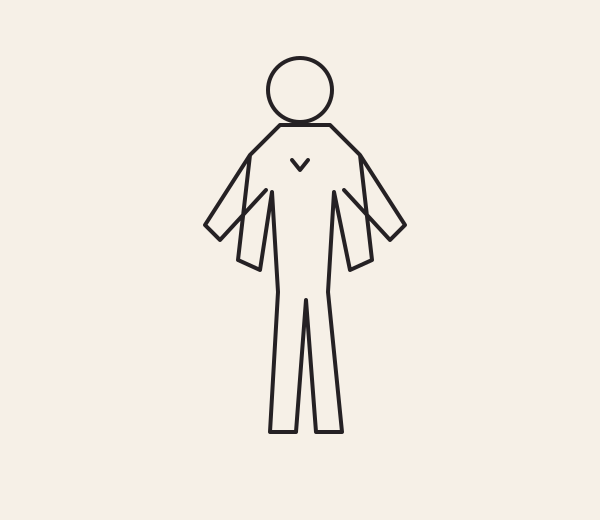
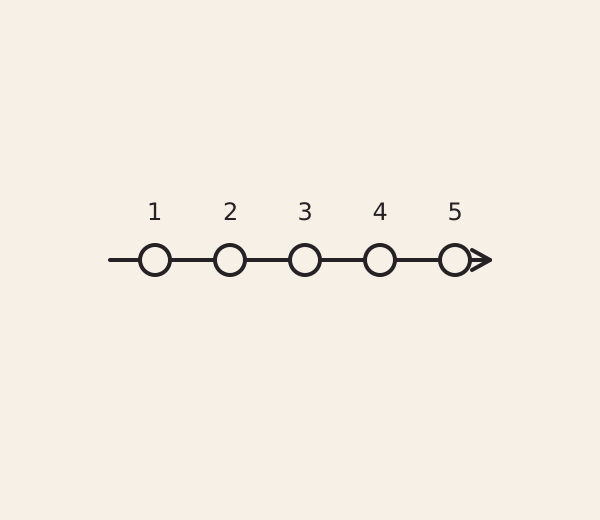
Compare two possible placements with a visibility worksheet and orientation questions. Our original schematic diagrams help organize a conversation; they do not measure your body or predict how a tattoo will fit.
FIELD NOTE / 01
Start with a decision, not a body-part ranking
A placement choice is personal and depends on the design, your preferences and an artist’s assessment. This worksheet does not rank body areas, predict discomfort, or offer medical advice. Begin with the practical question you want to resolve: “How visible do I want this to be in my everyday routines?” Add a second question only after you answer that one.
The body figures here are deliberately abstract front/back orientation maps. They are not anatomical drawings, scale references, or suggestions that a design will fit a particular area. Mark a general region on paper, then ask your artist to discuss the actual design and your body. The point is to organize a conversation, not to select a location from a diagram. Treat every mark as a reminder of a question, never as an instruction to tattoo a spot. You can leave the figure blank and still use the worksheet effectively.
FIELD NOTE / 02
Use a visibility scale that describes your routine
Rate visibility from 1 to 5 for a typical week: 1, usually private or covered; 2, seen by people you choose; 3, visible in some ordinary settings; 4, commonly visible; 5, intentionally prominent. These are personal labels, not predictions about clothing, work rules or how others will react. Write one routine next to the number, such as “short sleeves on weekends.”
Now rate a different context separately if it matters. A placement can be low visibility in one routine and more visible in another. Avoid treating the scale as objective: another person’s number 2 may be your 4. You are mapping your own comfort and preferences, not seeking a correct score.
FIELD NOTE / 03
Choose an orientation question
Draw an arrow next to your preferred design and label its top: “toward shoulder,” “toward hand,” or “to discuss.” Avoid claiming that an arrow on a flat map determines how a motif will read on your body. Ask whether you care more about the design facing you, being legible to someone across from you, or following a body area’s natural direction.
Do the exercise twice: once for your relaxed posture and once for a posture you commonly use. This is only a way to describe what you notice, not a motion simulation. Let the artist advise how the final composition and stencil should be evaluated. A photo preview can help you imagine an apparent position, but it is not an anatomical overlay or measurement tool.
FIELD NOTE / 04
Compare two candidate regions with the same design
Use the same small paper thumbnail for two candidate locations. Do not resize or redraw between the first comparison: first ask which general location feels more aligned with your visibility preference. Then note that actual fit and scale still need discussion. This prevents a larger drawing from winning merely because it dominates the page.
For each location, write three observations: visibility score, preferred orientation, and one unresolved question. Example: “Candidate A: 2; top toward shoulder; ask how the motif would be positioned.” “Candidate B: 3; top toward hand; ask whether another orientation reads better.” The answers are prompts for a conversation, not declarations that either spot is suitable.
FIELD NOTE / 05
Separate visual preview from real-world assessment
InkWorld’s photo/camera Try On can help explore an apparent visual position and save or share a concept. A preview is not calibrated: screen size, camera angle, posture and image perspective can all affect what you see. It does not establish exact dimensions, predict how a tattoo will look healed, or replace an artist’s in-person assessment.
Use a preview to ask a narrow question such as “Do I prefer this general orientation?” Keep the answer tentative. If you save or share an image, describe it as a concept preview so it is not mistaken for a final design or a measured placement plan. Your tattoo artist should evaluate the actual design, size and location with you.
FIELD NOTE / 06
Run the two-location decision exercise
Take five minutes and compare Candidate A and Candidate B. First assign a visibility score for your ordinary routine. Second write the orientation you want to discuss. Third circle the factor that matters more today: discretion, seeing the design yourself, or its overall visual balance. Leave any factor you do not know blank instead of inventing certainty.
Then switch the priority and see whether your choice changes. If it does, your next step is not necessarily to choose; it may be to ask an artist how the design changes in each orientation. If neither option wins, that is a useful outcome. The exercise has exposed a tradeoff instead of manufacturing an answer.
FIELD NOTE / 07
Bring a decision sheet to your artist
Write: “My visibility preference is [score and routine]. I am comparing [A] and [B]. I prefer [orientation or undecided]. Please help me assess design, size, spacing and placement on my body.” Add only the details you are comfortable sharing. Avoid requesting a technical guarantee from a schematic or preview.
An artist may propose a different location or redraw the concept; that is part of professional collaboration. This guide cannot assess individual anatomy, skin, healing, workplace policy or medical concerns. For health-related questions, consult an appropriate qualified professional. The schematic is an orientation aid only, not a body template or placement promise.
YOUR TAKEAWAY
Keep the brief.
Change the possibilities.
Copy this starter, fill in your details, and take it into InkWorld or a conversation with your artist.
This copies text only. It doesn't send a prompt to the app, generate an image, or save your edits.
EXPLORE THE APP, KEEP YOUR BRIEF
Explore your placement idea.
Use Try On to explore position and scale on a photo. A tattoo artist should decide the final placement and suitability.
Explore Try On in InkWorld ↗Opens the App Store · iPhone · In-app purchases. Copy your brief first; it won't transfer automatically. The illustrations on this page do not demonstrate app results. Try On is a visual preview, not a prediction of a healed tattoo.
Sources & editorial notes
This original concept exercise is editorial guidance, not medical or professional tattoo advice. A tattoo artist must decide the final size, spacing, placement, and suitability.